
Feel like your Wimbledon dental practice is getting lost in the shuffle on Google Maps — while nearby competitors seem to be hoovering up the patient calls?
You are certainly not the only one. Most Wimbledon dentists already have a Google Maps listing, but plenty of those profiles are quietly gathering dust instead of bringing in steady new patient enquiries. These days, simply popping up on Google is only half the battle. Patients usually ring the practices that look the most reliable, active, well-reviewed, and easiest to contact within a matter of seconds.
And the difference can be massive. Complete and properly managed Google Business Profiles have been shown to generate significantly more patient calls compared to incomplete listings, with some local SEO studies showing increases of up to 70% in enquiries.
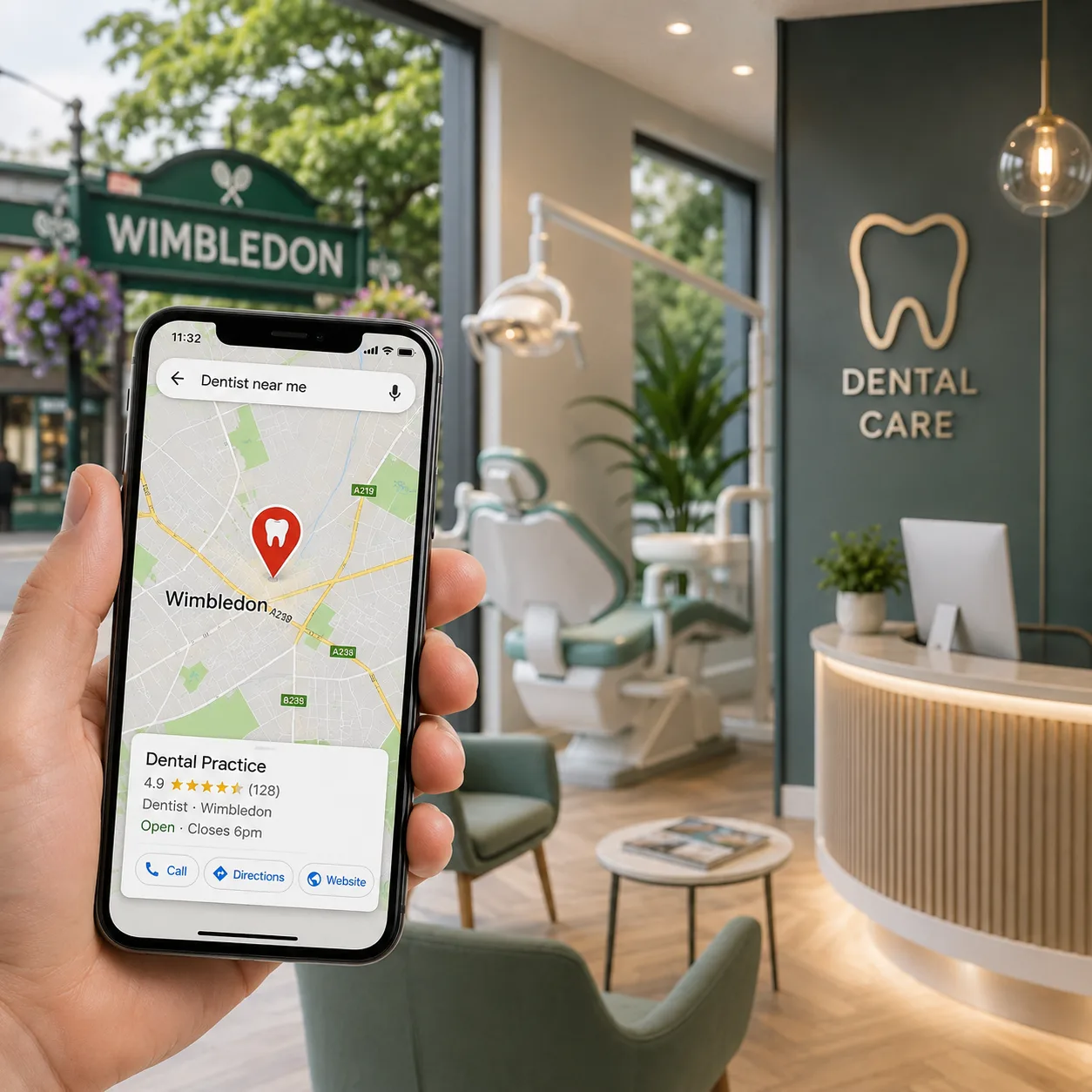
When someone searches terms like “dentist near me,” “emergency dentist Wimbledon,” or “Invisalign dentist in Wimbledon,” Google Maps is often the very first thing they see — and, more importantly, where many patients make their decision on the spot. The top 3 Google Maps positions tend to take the lion’s share of local clicks, calls, and appointment enquiries. For many practices, improving visibility in Google's map results can have a direct impact on patient acquisition and booking volumes.
If your Google Business Profile looks outdated, half-finished, missing reviews, lacking photos, or short on useful information, patients will often move on without a second thought — straight to another Wimbledon practice that looks more polished and trustworthy.
The frustrating part? Many practices are losing calls not because they offer worse dentistry, but because competitors simply present themselves better online. Stronger reviews, fresher photos, updated services, quicker responses, and a more complete Google Maps presence often make the difference.
The good news is you do not need a massive marketing overhaul to turn things around. Small but smart improvements to your Google Maps profile can genuinely increase local visibility, boost patient trust, and help bring more calls through the door.
Read on to uncover where most Wimbledon dental practices are falling short on Google Maps — and what you can do to start turning more local searches into real patient phone calls.
Most Wimbledon dental practices assume their Google Maps profile is “good enough” simply because it exists. But when you actually audit the profile properly, the gaps become obvious very quickly. Missing categories, outdated hours, weak descriptions, poor-quality photos, incomplete services, and unanswered patient questions can quietly reduce both your visibility and the number of calls your practice receives.
Google pays attention to these details because patients pay attention to them too. The more complete, active, and trustworthy your Google Business Profile looks, the stronger your chances of appearing in Wimbledon’s top Google Maps results when patients search for a dentist nearby.
Google Maps rankings are not only influenced by who offers the best dentistry. They are heavily influenced by which practice provides the clearest, most complete, and most trustworthy local information online. This is why strong local search optimisation services often helps practices outperform competitors that have neglected their online presence.
That is why a well-optimized Wimbledon dental practice can often outrank a clinically stronger competitor that has neglected its Google Maps presence.
This is one of the most commonly incorrect pieces of practice information on Google Maps — and one of the easiest fixes that can directly impact patient calls.
When a patient searches for a dentist in Wimbledon and your listing says you are open, they expect someone to answer. If they call during lunch hours, arrive during an unlisted closure, or hit voicemail because your hours are inaccurate, both Google and the patient notice very quickly.
Over time, inconsistent opening hours can quietly damage trust, reduce calls, and affect your Google Maps visibility.
- Lunch breaks not listed: If your practice closes between appointments for lunch, those split hours should be reflected properly on your Google Business Profile. Google allows you to set split hours, such as 8:30 am8:30 am–1:00 pm and 2:00 pm–5:30 pm.
Without this, patients often call during lunch closures, get no answer, and move on to another Wimbledon practice nearby.
- Saturday hours missing: Many Wimbledon dental practices offer Saturday appointments but never list them properly on Google Maps. This is a major missed opportunity because searches like “dentist open Saturday Wimbledon” are usually high-intent searches from patients actively looking to book quickly.
If your Saturday hours are not listed, your practice may not appear for those searches at all.
- Holiday hours never updated: Bank holidays, Christmas closures, training days, or reduced clinic hours should always be updated as “Special Hours” in advance. If they are not updated, Google may display warnings such as:
“Hours may differ.”
That alone can reduce patient trust and discourage calls.
Quick Google Maps Fix: Go into your Google Business Profile → Edit Profile → Hours
Then:
- Add split lunch hours where applicable
- Update Saturday opening times
- Add special holiday closures for the next few months
- Double-check emergency or extended hours
Most practices can complete this in less than 15 minutes.
Instant Win: List Your Saturday Hours
If your Wimbledon dental practice is open on Saturdays, updating those hours today can immediately improve visibility for weekend dental searches — one of the highest-intent local search categories on Google Maps.
Google Business Profile includes a dedicated services section where dental practices can list every treatment they offer, including the treatment name, description, and optional pricing information. Yet many Wimbledon dental practices either leave this section completely empty or add only a few generic services such as “Dental Check-up” or “Teeth Cleaning.”
That is a major local visibility problem.
When patients search terms like “Invisalign Wimbledon,” “emergency dentist SW19,” or “dental implants near me,” Google compares those searches against the services listed inside nearby Google Business Profiles. If your treatment is not listed properly, your practice is far less likely to appear — even if you provide that service every day.
In simple terms: if Google cannot clearly see the treatment in your profile, it struggles to rank you for it. This becomes even more important when targeting patients searching within specific areas of Wimbledon, where neighbourhood-focused local SEO can help practices appear for highly localised treatment searches.
The Services Many Wimbledon Dental Practices Forget to Add
It is not only large cosmetic treatments that matter. These are some of the most commonly missed services that can quietly cost practices high-intent patient searches:
- Emergency dental appointments
- Same-day dental appointments
- Root canal treatment
- Tooth extractions
- Composite bonding
- Dental veneers
- Dental implants
- All-on-4 dental implants
- Teeth whitening
- Take-home whitening kits
- Invisalign and clear aligners
- Children's dentistry
- Family dentistry
- Sedation dentistry
- Nervous patient treatment
- Dentures (full and partial)
- Night guards and sports mouthguards
- Gum disease treatment
- Periodontal treatment
- Dental hygiene
- Scale and polish
- Fissure sealants
- NHS dentistry (if applicable)
Quick Google Maps Fix: Go to your Google Business Profile → Edit Profile → Services
Then:
- Add every treatment your Wimbledon practice offers
- Create a separate listing for each service
- Write a short 1–2 sentence description naturally mentioning the treatment and Wimbledon or your nearby service area
- Include emergency, cosmetic, family, and specialist treatments separately instead of grouping them together
These descriptions act as keyword-rich local relevance signals that Google directly uses to better understand your practice and match it with nearby patient searches.
Attributes are the simple yes/no or multiple-choice settings inside your Google Business Profile that describe what your practice offers — things like accessibility, payment options, patient types, and booking features. They might look minor at first glance, but they play a much bigger role in visibility than most Wimbledon dental practices realise.
Patients actively use filters on Google Maps to narrow down results. So when someone searches for an NHS dentist accepting new patients, a wheelchair-accessible clinic, or a practice with online booking, Google only shows listings that have those attributes correctly ticked. If you have not selected them, your practice simply does not appear — even if you offer those services.
Quick Google Maps Fix: Go to your Google Business Profile → Edit Profile → More → Attributes
Then:
- Review every available attribute carefully
- Tick everything that accurately applies to your practice
- Make sure accessibility, booking, and payment options are fully updated
This is a 10-minute task that can directly improve how often your practice appears in filtered Google Maps searches.
Your Google Business Profile includes a 750-character business description, which appears directly on your Google Maps listing. Google uses it to understand your practice, and patients use it to decide whether they should call you or keep scrolling.
Most Wimbledon dental practices either leave this blank or write something extremely generic like:
“We are a friendly dental practice providing high-quality dental care.”
The problem is simple — it says nothing specific to Google and nothing persuasive to patients.
What Most Practice Descriptions Are Missing
A strong description should clearly include four key elements:
- Your location (Wimbledon / SW19 + surrounding areas)
- Your core treatments (clearly named)
- A clear patient benefit or differentiator
- A trust or availability signal (new patients, emergency care, etc.)
Strong Description (What Actually Works)
“SW19’s trusted Wimbledon dental practice offering emergency same-day appointments, Invisalign, dental implants, composite bonding, teeth whitening, and both NHS and private treatments. Serving patients across Wimbledon, Raynes Park, Merton, and Tooting. Experienced dentists provide sedation for nervous patients, flexible payment options, and late evening appointments. Accepting new NHS and private patients — call us or book online today.”
Quick Google Maps Fix: Go to your Google Business Profile → Edit Profile → Business Description
Then:
- Rewrite it using the structure above
- Include your real treatments and service areas
- Add clear patient-facing benefits and booking signals
- Keep it natural, specific, and locally relevant to Wimbledon
This takes around 20 minutes, but it can significantly improve how both Google and patients understand and trust your practice.
A Google Business Profile with 15+ quality photos typically generates far more patient engagement than one with only 1–3 images. And it is not simply because patients care about décor or aesthetics.
Photo activity is a genuine Google Maps ranking signal. Google sees practices with recent, varied, regularly updated photos as more active, trustworthy, and established. On the other hand, a profile with one outdated exterior image from years ago sends the opposite message — both to Google and to potential patients.
The Photo Categories Many Wimbledon Dental Practices Commonly Miss:
Most practices upload one or two exterior photos and never touch the gallery again. But the photo categories below are the ones that often improve both visibility and patient trust the most:
- Team photos: Patients feel more comfortable calling when they can actually see the dentists and staff they may meet. Individual team photos usually perform better than only one large group shot.
- Treatment rooms: Clean, modern, well-lit surgeries matter more than practices realise. Nervous or anxious patients often check treatment room photos before deciding to call.
- Reception area: Patients judge the atmosphere of a practice before they ever arrive. Bright, welcoming, uncluttered reception images help create trust instantly.
- Technology and equipment: Digital scanners, intraoral cameras, CEREC systems, and modern dental technology quietly reinforce quality and professionalism without needing heavy sales language.
- Before-and-after treatment results: With proper patient consent, these are often some of the highest-converting images for cosmetic dentistry searches such as Invisalign, veneers, whitening, and composite bonding.
- Exterior and street-level entrance: Clear signage, nearby landmarks, parking visibility, and entrance photos help patients locate your Wimbledon practice easily on arrival.
Quick Google Maps Fix: You do not need a professional production team to improve your gallery.
Book 30–45 minutes with a modern smartphone and capture:
- Reception area
- 2–3 treatment rooms
- Team photos
- Exterior signage and entrance
- Key equipment or technology
Upload photos gradually instead of all at once. Regular updates signal ongoing activity to Google and can improve your Wimbledon practice’s local visibility over time.
Small Detail Most Wimbledon Practices Completely Overlook
Before uploading images, rename the photo files properly.
Instead of: IMG_4821.jpg, use: wimbledon-dental-reception-2025.jpg
Google’s image systems can read filename relevance signals, and this small optimization takes only seconds — yet very few local dental competitors actually do it properly.
Your Google Business Profile includes a public Q&A section where patients can ask questions about your practice, and anyone on Google can answer them. That includes people who have never even visited your clinic.
Most Wimbledon dental practices either leave this section completely empty or allow unanswered and inaccurate responses to sit there for months. That is a missed trust-building opportunity.
The Questions Your Practice Should Already Be Answering
Patients often look for quick answers before deciding whether to call. Common questions include:
- Are you accepting new NHS patients?
- Do you offer same-day emergency appointments?
- Is there parking nearby?
- Is the practice wheelchair accessible?
- Do you offer finance or payment plans?
- Do you treat nervous or anxious patients?
- What is your cancellation policy?
- Which train station or bus routes are closest?
Quick Google Maps Fix: Search for your practice on Google using a personal account and add 5–8 common patient questions yourself. Then answer them properly from your practice account with clear, helpful information.
This simple 30-minute task improves trust, reduces patient hesitation, and helps your Wimbledon practice look far more complete and active on Google Maps.
Google Posts allow your Wimbledon dental practice to publish short updates directly on your Google Maps listing and Search profile. Think of them as a mini notice board attached to your practice listing, visible to patients already considering whether to call or book.
Yet many Wimbledon dental practices never use them at all.
The difference between Google Posts and normal social media is intent. People viewing your Google Business Profile are already searching for a dentist nearby. They are much closer to booking. A well-timed post can often be the final push that turns a search into a patient call.
The Types of Google Posts That Actually Generate Calls
Keep posts simple, timely, and relevant to real patient needs. Practices looking for ideas on creating engaging GBP posts often find that patient-focused announcements outperform promotional content. These are the post types that consistently perform best for local dental practices:
- Appointment availability updates
- NHS patient updates
- High-value treatment offer related posts
- Extended opening hours
- Team introductions
Quick Google Maps Fix: Create one Google Post today. A simple starting example: “We have appointments available this week for new and existing patients. Call now or book online.”
Then:
- Add a team or reception photo
- Select the “Call Now” button
- Publish directly through your Google Business Profile
To maximise visibility, consider maintaining a consistent posting schedule rather than posting only occasionally.
Most Wimbledon dental practices understand the importance of getting Google reviews. Far fewer realise that actively responding to reviews is also a local ranking signal and often the thing that builds trust before a patient even calls.
What Many Wimbledon Dental Practices Commonly Get Wrong:
- Asking too late: Review requests sent days later usually get ignored. The best time to ask is immediately after a positive patient interaction, followed by a quick text link shortly afterwards.
- Ignoring positive reviews: Only replying to complaints makes the profile look reactive. Short replies to positive reviews help your Wimbledon practice appear active, engaged, and trustworthy.
- Missing local and treatment keywords: When replying, naturally mention the treatment and your Wimbledon location. Google reads review responses, too, and they help strengthen local relevance signals.
Quick Google Maps Fix: Reply to every unanswered Google review on your profile including older ones. For positive reviews, thank the patient and naturally mention the treatment or location. For negative reviews, respond professionally and invite the patient to contact the practice directly to discuss further.
Regularly reviewing performance data from your business profile can help identify which profile improvements are generating more calls, website visits, and patient enquiries.
Beyond the major profile sections, there are several smaller Google Business Profile details that many Wimbledon dental practices overlook — even though they can directly affect patient enquiries and booking conversions.
The Small Details That Often Get Missed:
- Appointment URL: Your booking link should take patients directly to your appointment page — not your homepage. If patients cannot quickly find how to book, many simply leave and contact another practice instead.
- Website Link: Make sure your GBP website link points to the correct Wimbledon location page, especially if you run multiple clinics. Broken or outdated URLs quietly lose patient trust and clicks.
- Google Maps Short Name: Claim your custom short link (for example: g.page/yourpractice). It makes review requests, QR codes, and SMS booking links far easier to share and more trustworthy-looking.
- Opening Date: Adding your practice establishment date helps strengthen local trust and prominence signals. A long-established Wimbledon practice naturally carries more local authority in Google’s eyes.
Quick Google Maps Fix: Review your appointment URL, website link, and Google Maps short name today inside your Google Business Profile settings. These small fixes take only a few minutes but can prevent patients from dropping off before they ever contact your practice.

.svg)

Harsh Bansal has spent 15 years pioneering, scaling, and redefining what dental marketing and data can truly unlock. He is at the forefront of AI-driven dental growth, helping more than 8,000+ dental practices and DSOs worldwide attract more patients, strengthen their market presence, and gain the financial clarity needed to drive sustainable growth.
Our healthcare marketing expert will get in touch with you

.gif)