Are Bing Ads Worth It for Dentists? What Most Practices Don't Realize
Discover if Bing Ads can help your dental practice attract high-value patients at lower cost. This guide is for dentists evaluating smarter PPC strategies in 2026.




account
& revenue
terms
pages
call
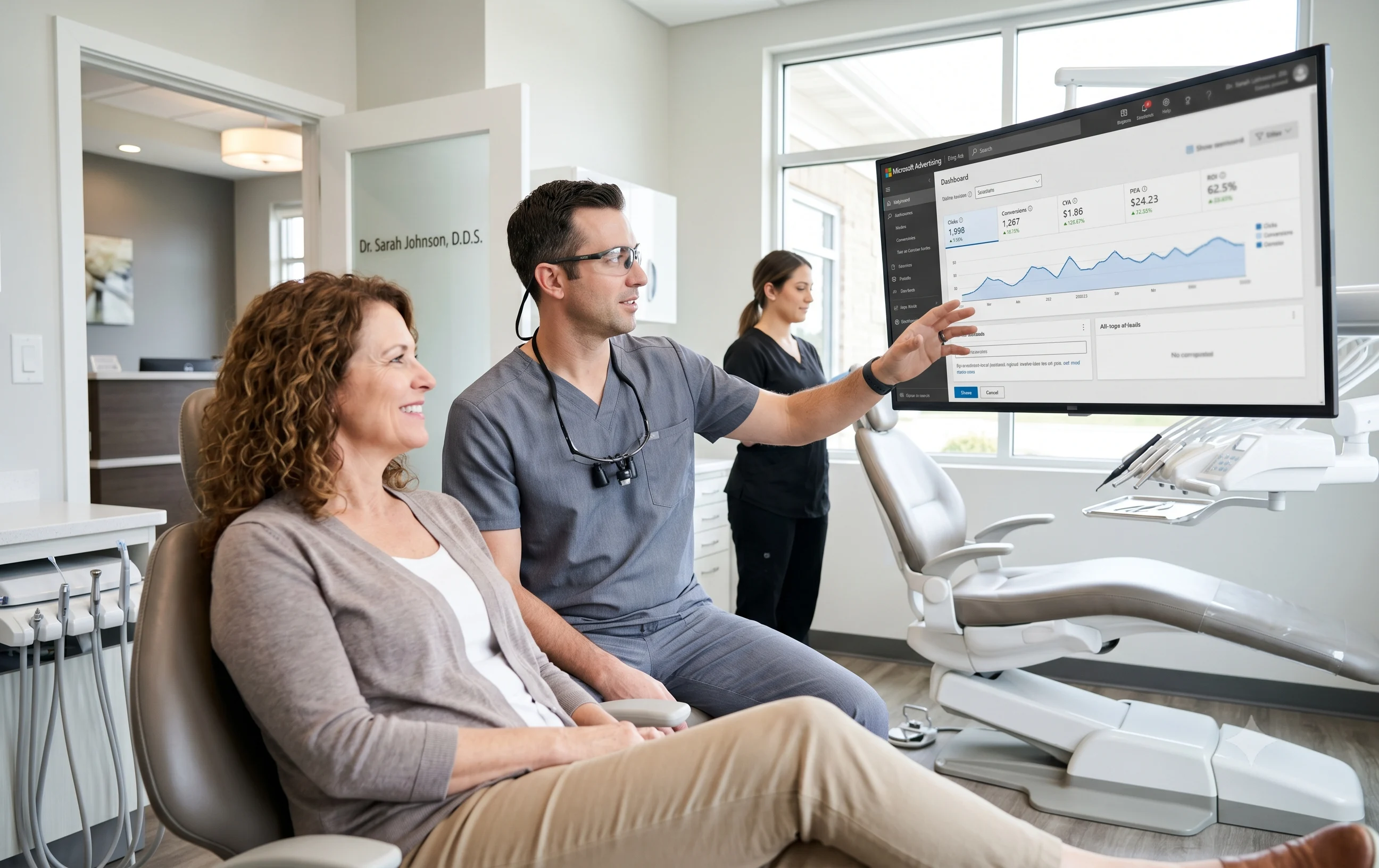
Most dental practices put their budget into Google without questioning whether another platform might reach a more valuable audience. That's where Bing Ads enters the conversation � often met with skepticism. But dental marketing differs from most industries because platform value isn't just about traffic volume. It's about who is searching, how competitive the space is, and whether those users become patients. Microsoft Advertising quietly reaches high-income, desktop-based, and older users � demographics aligned with implants, Invisalign, and cosmetic dentistry.
What Bing Ads Are (and Where Your Dental Ads Actually Show)
Bing Ads, now known as Microsoft Advertising, is a pay-per-click (PPC) platform that shows your dental ads when people search online � similar to Google Ads but within the Microsoft ecosystem.
Your ads can appear across:
- Bing search results
- Yahoo and AOL search networks
- Microsoft Edge browser search
- Select partner websites across Microsoft's network
How Microsoft Advertising Actually Works
Microsoft Advertising works like Google Ads. You select keywords, set bids, and create ad copy. Ads appear when someone searches those terms through an auction system influenced by bid, quality, and relevance. Practices familiar with Google Ads often find Bing easier to test since both platforms function similarly.
Key Differences: Bing Ads vs. Google Ads for Dental Practices
Reach and Search Volume
Google controls the vast majority of search traffic, giving dental practices the largest patient pool. Microsoft Ads operates at a smaller scale but reaches millions of users most dental advertisers ignore � often with lower-cost traffic and significantly less competition.
Audience Type and Patient Behavior
Google attracts a broad mix of users across all ages. Bing's audience tends to be older, desktop-focused, and more financially comfortable � patients who research before booking. This makes Bing a natural fit for elective dental treatments with longer decision cycles.
Competition and Advertising Costs
Dental Google Ads campaigns are among the most competitive local advertising categories online. Microsoft Ads is far less crowded � many practices aren't advertising on Bing at all � translating into more affordable clicks and lower cost per lead.
Mobile vs. Desktop Search Performance
Google dominates mobile search, making it essential for emergency and same-day dental campaigns. Bing performs more strongly on desktop traffic, aligning better with high-commitment treatments where patients compare providers before converting.
Targeting and Campaign Features
Both platforms support keyword targeting, location targeting, ad extensions, and remarketing. Microsoft Ads uniquely offers LinkedIn profile targeting, helping practices reach users by professional characteristics � useful for elective and premium dental services.
Campaign Setup and Cost Efficiency
Campaigns can be imported directly from Google Ads, making Bing one of the easiest channels to test without rebuilding from scratch. Google typically delivers higher volume but at higher cost. Bing usually delivers lower CPCs and less auction pressure, improving blended campaign efficiency when used alongside Google.
Not sure if your negative keyword list is doing its job?
We’ll review your last 90 days of search terms and show
you exactly where your budget is leaking — free, no
commitment.
Who Should Test Bing Ads First
Bing Ads work best in the right practice type and patient scenario � improving cost efficiency and patient quality simultaneously.
- Implant and Oral Surgery Practices: High patient value and longer decision cycles align well with Bing's desktop-heavy, higher-income audience.
- Cosmetic Dentistry Targeting Mature Patients: Patients aged 35�60 researching veneers and smile makeovers on desktop show stronger financial readiness for elective care.
- Orthodontic Practices Focusing on Adult Invisalign: Adult aligners attract research-heavy patients � working professionals comparing providers before committing.
How to Set Up Bing Ads for Your Dental Practice
Step 1 � Import Your Best Google Ads Campaign
Microsoft Advertising includes a built-in Google Ads import tool. Pull in your existing campaigns � keywords, ad copy, extensions, and targeting � in about 20 minutes. Start with your highest-performing campaign, typically one generating implant or cosmetic leads. After importing, reduce bids by 20�30% since Bing CPCs run lower. Verify that ad extensions transferred correctly and add any that didn't carry over.
Step 2 � Focus Budget on High-Value Treatment Keywords
Concentrate spending on treatments where Bing's demographic advantage is strongest: dental implants, All-on-4, full-arch restoration, cosmetic dentistry, adult Invisalign, and veneers. These searches attract older, higher-income patients doing serious research � and where Google CPCs are highest, making cost savings most meaningful.
Step 3 � Build Dedicated Landing Pages Before Going Live
Each campaign needs a dedicated page with your practice name, a headline matching the ad, visible phone number, a short contact form, patient testimonials, and team credentials. Never send clicks to a generic homepage.
Get a personalized red‑flag report for your dental account
In 20 minutes, we’ll walk you through what your current agency is (and isn’t) doing — and what it’s costing you.
Step 4 � Set Up Conversion Tracking Before Spending
Install Microsoft's Universal Event Tracking tag and create conversion events for call clicks, form submissions, and booking completions. Without it, campaign optimization has no signal. Also set up a unique call tracking number for Bing so you can separate Bing-generated calls from Google and organic.
Step 5 � Schedule Ads to Peak Desktop Hours
Bing's desktop audience searches heavily between 9am and 6pm on weekdays. Use dayparting to concentrate bids during these hours and reduce spend late nights and weekends, when Bing volume and conversion rates drop significantly.
Step 6 � Use Age and Income Demographic Bid Adjustments
Microsoft Advertising allows bid adjustments by age and demographic signals. For implant and cosmetic campaigns, bid up for the 45�64 bracket � your most likely high-value patient. Apply location bid adjustments to focus spending in higher-income zip codes within your service area. These layers amplify Bing's built-in demographic advantage and ensure your budget works hardest where ideal patients live.
Google Ads, Bing Ads, or Both?
Google remains essential for maximum visibility and emergency dental searches. Bing complements it for high-value elective treatments with longer decision cycles. Together they create a more balanced, cost-effective PPC strategy.
FAQs on Bing Ads for Dentists
Are Bing Ads worth it for a small dental practice?
Yes. Bing's lower competition and affordable CPCs help smaller practices compete without outspending larger DSOs.
How long does setup take if I'm already on Google Ads?
Most practices can go live the same day using the direct import feature. Review bids, extensions, and tracking afterward.
Do I need different ad copy for Bing?
Not immediately. Import existing copy first, then refine messaging to emphasize expertise and trust, which resonates with Bing's older, research-focused audience.
What if my area is too small for Bing?
Prioritize Google Ads and local SEO first. Suburban and metro practices typically see the strongest Bing results.

1. You Cannot Access Your Own Google Ads Account
2. Reports Show Clicks, Not Patients
3. No Negative Keyword List
4. Traffic Goes to Your Homepage
5. They Don’t Know Your Cost Per Patient
6. No Call Tracking Configured
7. Budget Never Changes
8. Everything Runs in One Campaign
9. No A/B Testing Has Been Run
10. They Become Defensive on Direct Questions
What a High‑Performing PPC Agency Looks Like
Book a FREE Consultation
Book a FREE consultation
Our healthcare marketing expert will get in touch with you
.gif)





.png)